Catvision DVB-S2, MPEG4 HD Set Top Box model CSR 402HP with WiFi is a next-generation, high-performance device
- Watch 115+ channels of Movies, Entertainment, News, and Sports FREE on DD Free Dish Set Top Box service.
- It works with a satellite dish and supports SD/HD and WiFi streaming.
- Watch YouTube, Daily Motion, Instagram Reels, and other videos cast and OTT platforms from your Android/iOS mobile to your TV using the powerful Tubio app.
- Record programs on USB PVR to watch later.
High Definition Set Top Box CSR-402HP with WiFi – Tubio | HD+AV Cable | Remote
- Watch 115+ channels of Movies, Entertainment, News and Sports FREE on DD Free Dish DTH service.
- Watch YouTube, Daily Motion and other videos cast from your Android/iOS mobile to your TV using the powerful Tubio app.
- The Catvision set top box is 1080P Full HD MPEG4 DVB-S2 with WiFi .
- Record programmes on USB PVR to watch later.
- Friendly User Interface.
Brand Catvision Manufacturer Catvision Limited, A-23, Sector-57, Noida – 201301 (U.P.) Toll Free No. 7669300112, Monday to Saturday excluding National holidays, 9:00am to 6:00pm IST Model CSR-402HP with Wifi Package Dimensions 16.5cm x 11.5cm x 5cm
Batteries 2 AAA batteries required. Item Model Number CSR-402HP with Wifi Mounting Hardware Set Top Box, RCU, Power Adaptor, AV Cable, HDMI Cable Batteries Included No Batteries Required Yes Connector Type RCA, HDMI Includes Rechargable Batteries No Remote Control Included Yes Country of Origin India Item Weight 500g 1. Are accessories Remote, Battery, AV Cable, HDMI Cable & Power Adaptor also under warranty ?
No, these accessories are not covered under warranty.
2. How do I get service under warranty?
During warranty period if set top box (STB) is required to be sent to Catvision’s Service Centre it should be sent on freight-paid basis. After repairs, Catvision will send back the STB to the customer on freight-paid basis.
3. Can this STB work without antenna?
For watching DD Free Dish free-to-air (FTA) channels you need a dish antenna. For watching YouTube via Tubio app. antenna is not required.
4. There is a lot of buffering while using Tubio to watch Youtube.
You will need a reasonably good internet speed. If your internet is slow this buffering will happen.
5. Can I watch YouTube on my CRT TV?
Yes, you can watch YouTube through Tubio app. on CRT TV also.
6. Can I see pay channels on this Set Top Box?
No, this STB is for watching DD Free Dish channels only.
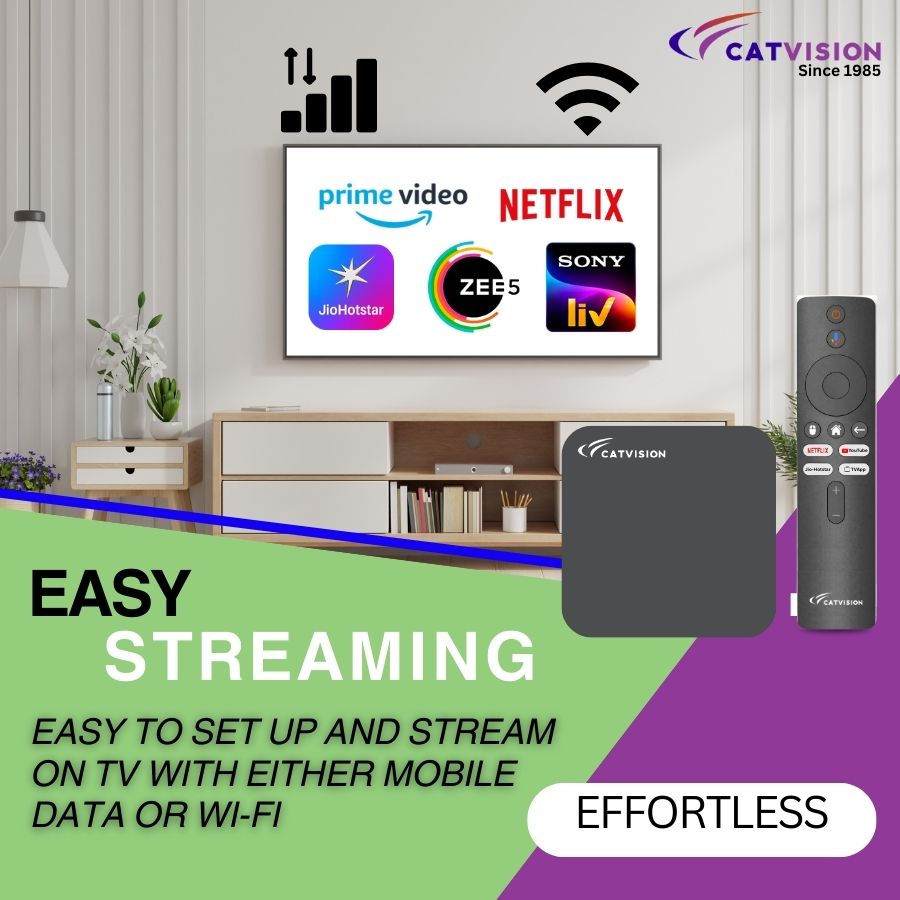
7. Can we watch Hotstar, Netflix and other OTT programms on the STB?
No, you can only watch YouTube via Tubio app.
8. This set top box is supplied with or without HDMI cable?
Yes, We supply HDMI & AV cables with our selected Set top box.
9. Do I need an external Wifi dongle to connect mobile to the STB via internet?
No need. The Catvision STB model CSR-402HP Wifi has an in-built Wifi provision.
10. Can I receive radio channels on the STB?
Yes, you can receive 30+ radio channels available on DD Free Dish platform.
11. How many channels of DD Free Dish are available on this set top box?
You can receive 115+ DD Free Dish channels on this set top box. This may change from time to time since Doordarshan keeps adding new channels and dropping some old ones.
12. Does this set top box have a USB port?
Yes, this set top box has one USB port.
13. Can I change the channel without using the remote?
Yes, channel up/down keys have been provided on the side panel of the STB. In addition, in case your remote is lost or damaged, you can download the Catvision Remote from the Google Play Store.
14. Can we use other DTH dish antenna like Tata Sky, Airtel, Dish TV, D2H to watch DD Free Dish?
Yes, you can use these dish antenna but need to re-align the dish antenna to DD Free Dish satellite GSAT15. Any installer of dish antennas can do it for you.
15. How many Telugu, Bengali, Marathi etc. channels are available?
Several. Please check channel list on DD Free Dish official website: https://www.freedish.in/p/dd-freedish-channel-list-by-package.html1. Channel is freezing.
- Check that the cable from dish antenna to set top box is connected tightly.
- Press info button of your remote to check signal quality. Incase it is less than 60% you will need to realign the dish antenna until the signal becomes more than 60%.
2. STB is showing no signal.
- Check the dish antenna is aligned properly to DD Free Dish satellite GSAT15.
3. All channels are not coming.
- Press info button of your remote to check signal quality. Incase it is less than 60% you will need to realign the dish antenna until the signal becomes more than 60%.
- Press Menu on STB remote> Installation> Satellite List> Press Blue Button> Select FTA> Select Blind Scan > Search.
4. WiFi option is not opening on STB.
Please call our customer care toll free 7669300112 or write to support@catvisionindia.com.
5. HDMI Video /AV Video not coming.
Press Source/ Input button of your TV remote, select HD or SD. If problem still persists then change AV cable.
6. STB is rebooting on its own.
- Make sure the STB is connected with the original power adaptor provided with the STB.
- Press Menu on STB remote> Satellite Setting> LNB Power> Select Auto.
- Remove cable coming from dish. If STB is still rebooting contact our customer care 7669300112.
7. Video, Images stored in mobile/pen drive are not supported.
Our STB supports MP4 (except 4K) video format, MPEG 2 audio format and JPEG image format.
8. Remote is not working properly.
Please check the remote battery. If the issue persists please contact customer care 7669300112.
9. Channel automatically shifts up & down.
Check if any remote key has remained pressed. If so, release the key.
Reboot the STB and try again. if problem persists please contact customer care 7669300112.10. STB hangs sometimes.
Reboot the STB, then go to Menu > Installation > Factory Setting > Put the password 0000 & re- install again.